Spend smarter
- Compare Meta and Google Ads
- Spot wasted ad spend
- Find ads worth scaling
- Review audiences and placements
- Break down results by device
- Review budget recommendations
Review recommendations before making ad changes.
AutoAdy is an AI media-buying workspace for Meta and Google Ads intelligence, Creative Studio, connected website and organic insights, and source-linked reports. Review the evidence before the next move.
Connect account and website data, inspect findings, prepare creative and reports, and review the next move. Individual Meta changes require review. Google Ads changes are proposed for review. Scheduled account checks and reports gather evidence without unattended ad changes.
Solo $59/month for 3 ad accounts, Growth $149/month for 10, Agency $399/month for 40. New subscriptions start with a seven-day trial and 50 credits for a $1 setup fee; a card is required.
Manage up to 40 Meta ad accounts. Organic is a per-site add-on.
Website: https://www.autoady.io | Contact: hello@autoady.io
Your AI marketing team for Meta and Google Ads, creative, and organic growth. Find what’s working, create your next ad in Studio, and focus on the moves that bring customers in.
$1 setup fee · 7-day trial · Card required · 50 trial credits
 ClaudeChatGPTTelegramSlack
 HermesGrok Bot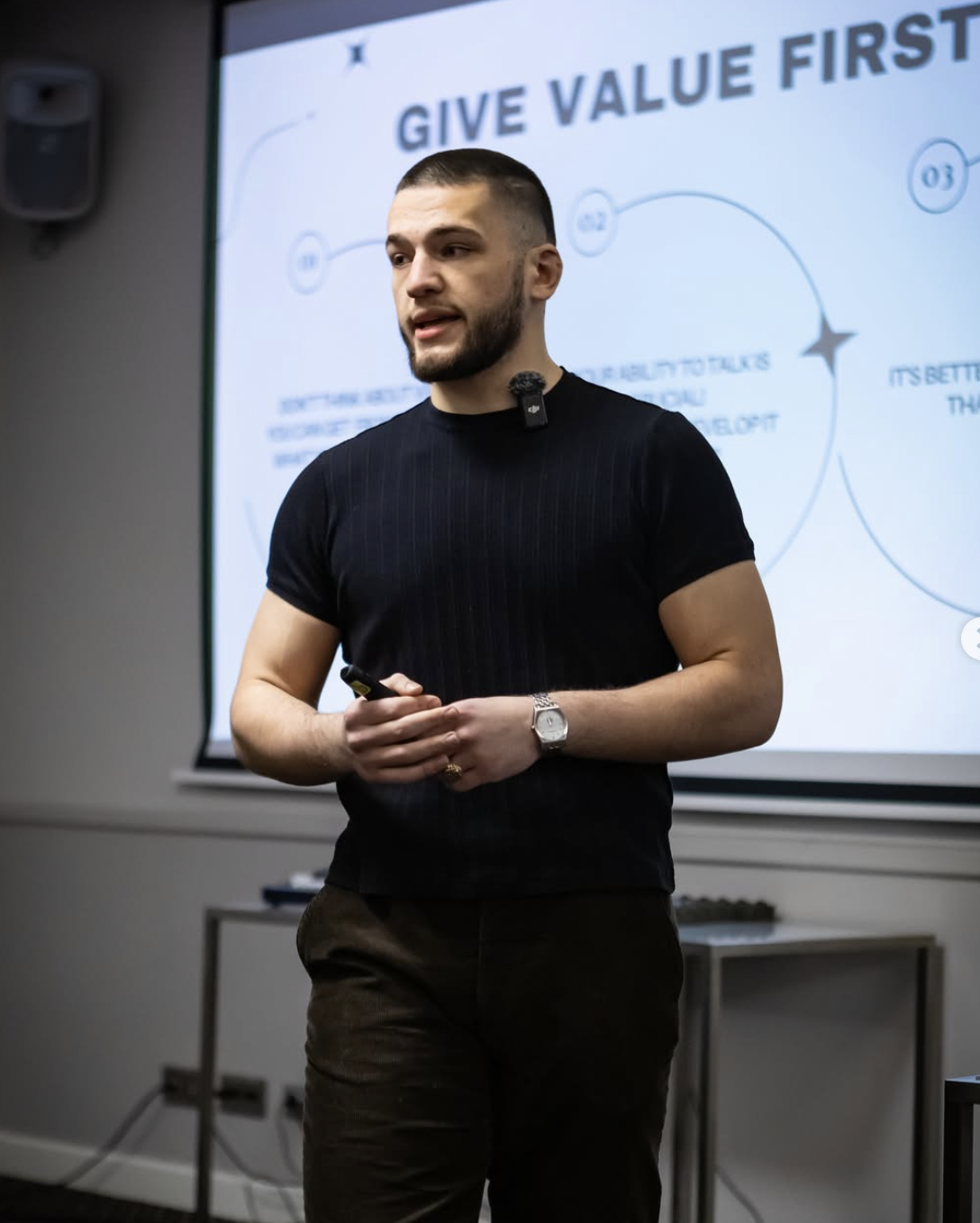
“It's been a huge help. It surfaces problems in client accounts I'd been missing, and lets me fix them fast. CPL is down across 60% of the accounts we run.”
Read the account, decide with context, and keep the evidence. Your performance data, brand guidance and review history stay connected.
Read Meta and Google Ads performance alongside connected website and search signals. Inspect your baselines and what changed before deciding what needs attention.
Review findings, proposals and the reads behind them. Saved brand guidance keeps your offers, audience and creative context close to the decision.
Source-linked reports for clients, briefings in your connected channels, and an action history for reviewed changes. When someone asks why, the evidence is there.

Practical work across your ads, creative, website and reports.
Review recommendations before making ad changes.
Use your brand guidance. Review drafts before launch.
SEO and visibility tasks use the Organic site add-on.
Connect your website and sales data to include them.
Follow one illustrative account from analysis to Studio to a completed briefing. No ads are changed in this example.
1 · Find the issue
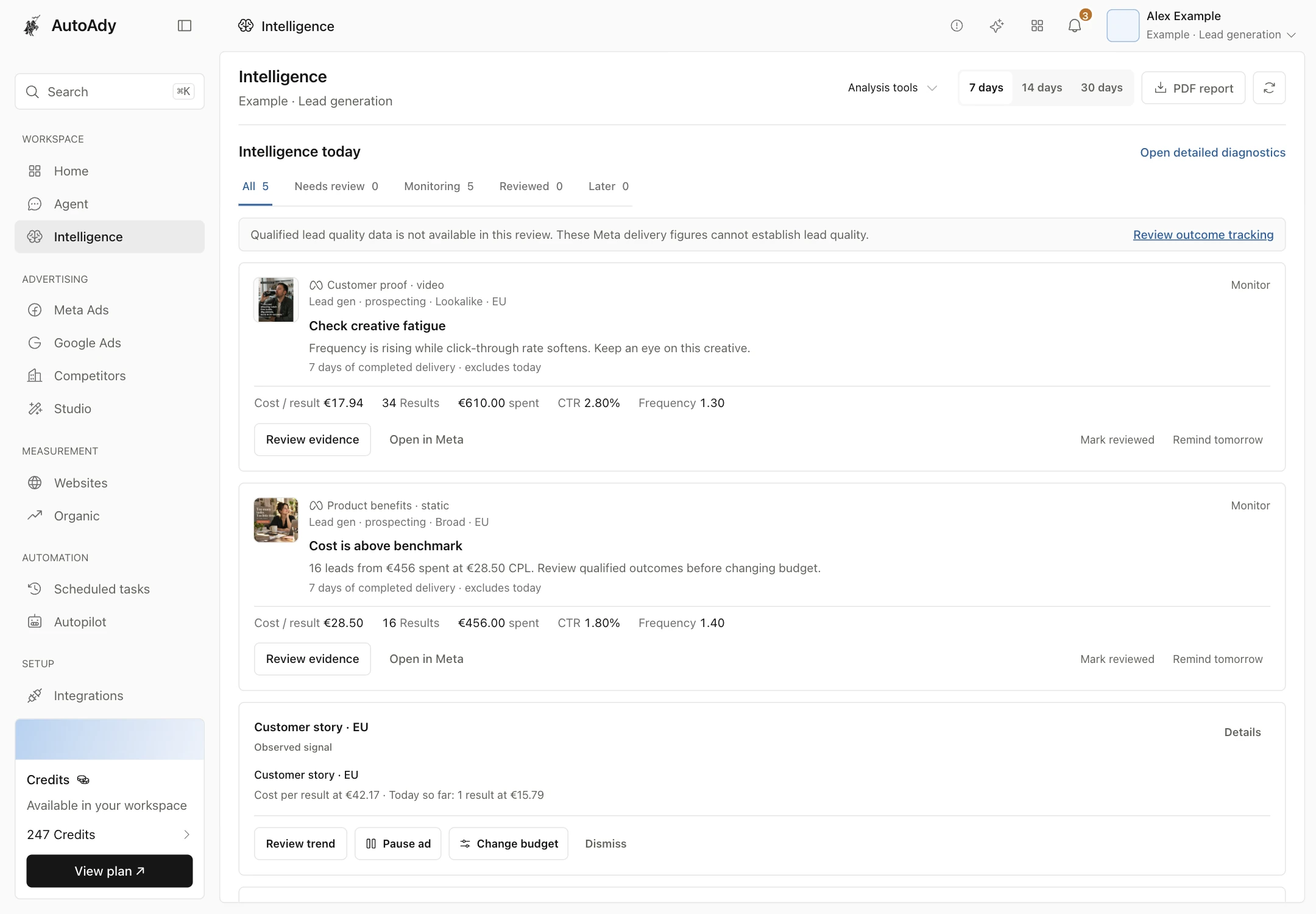
16 leads from €420 spent means €26.25 per lead. Check qualified outcomes before changing budget.
Open the example2 · Prepare the next ad
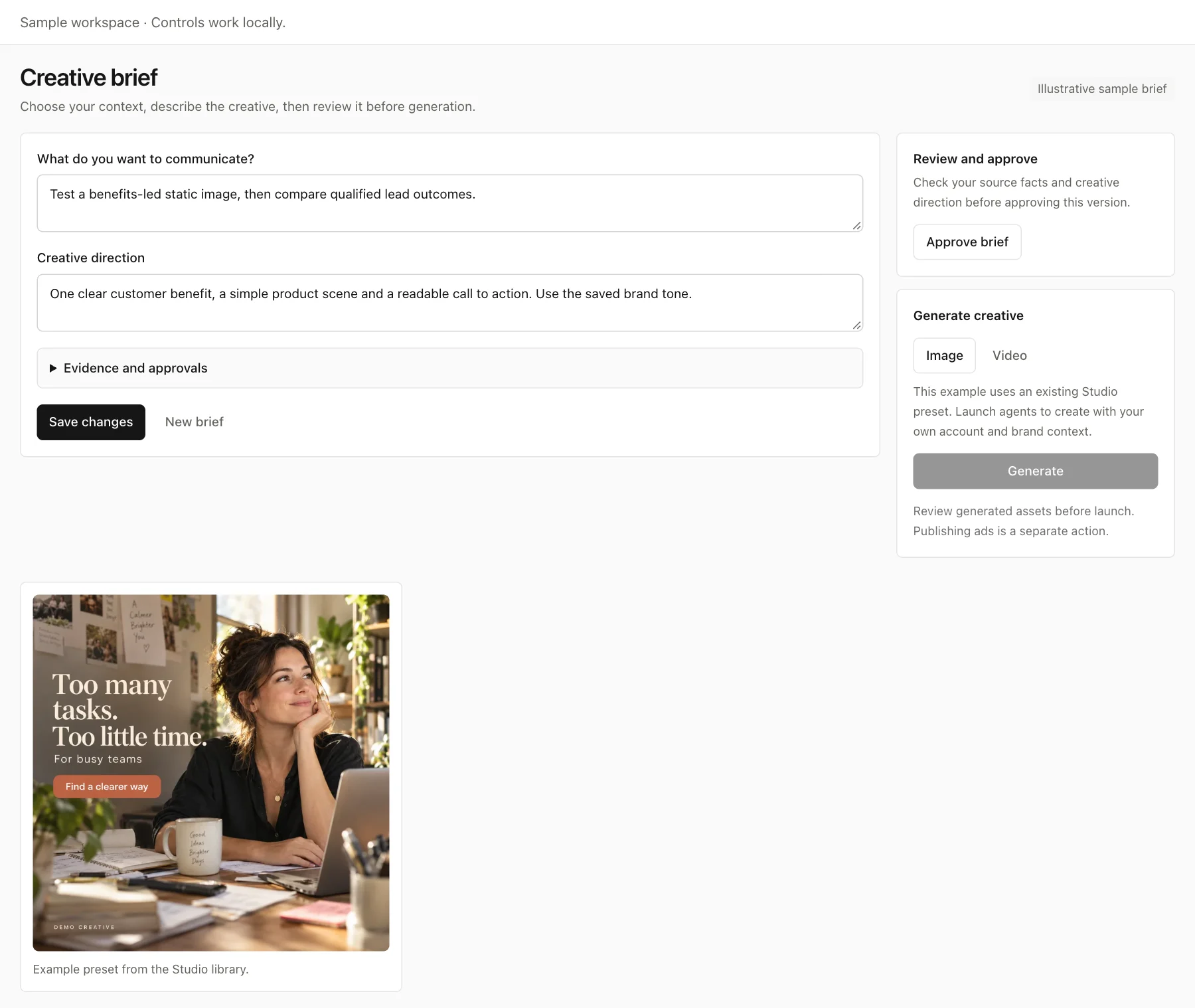
Draft a benefits-led image concept in Studio, with the source facts and brand guidance beside it.
Open the example3 · Share the plan
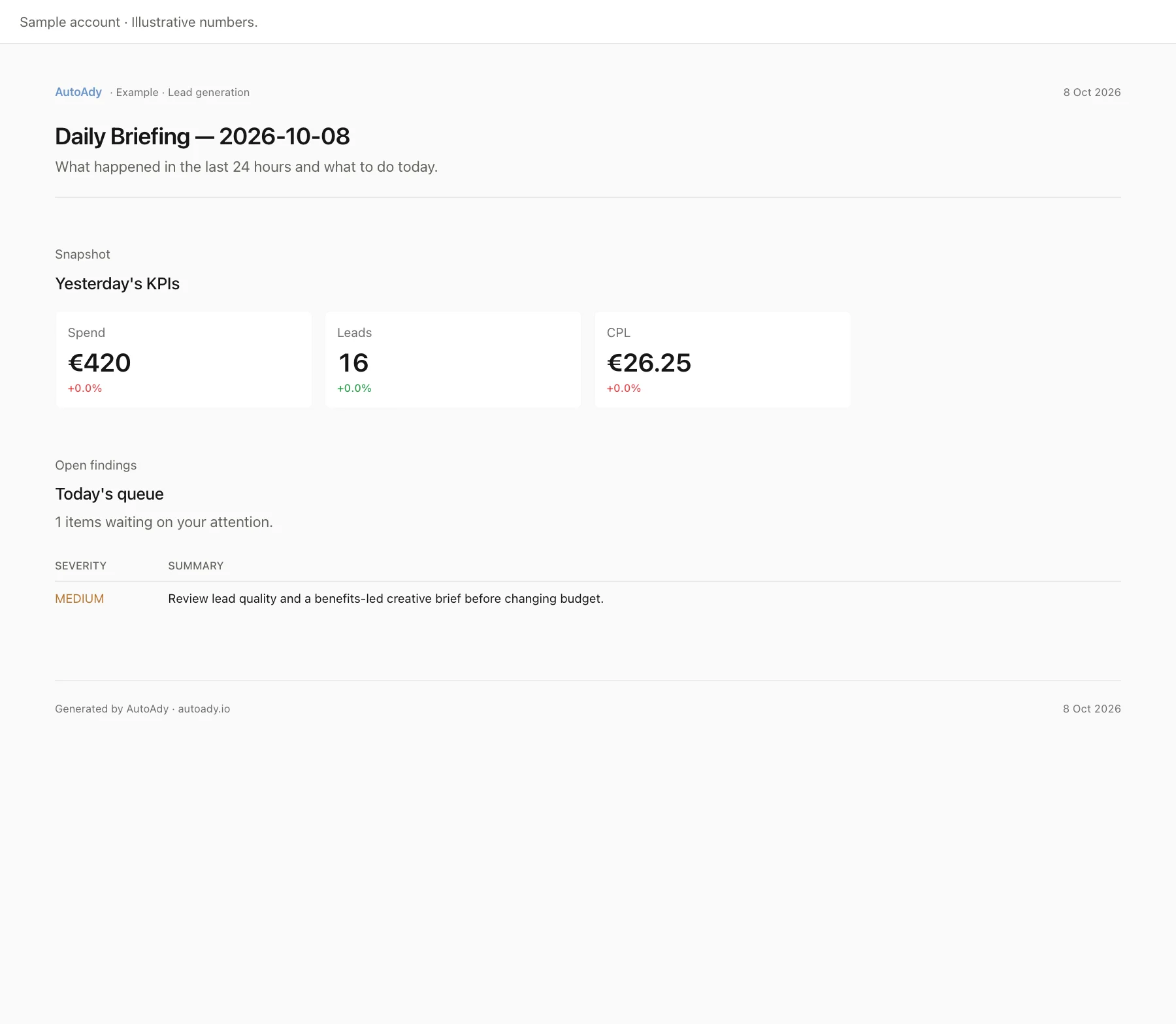
A completed sample briefing pairs spend, leads and lead cost with the recommendation to review.
Open the exampleExplore the sample workflow, then connect your own accounts.
Review my 12 client accounts. Flag spend with no results, investigate fatigue, and prepare source-linked reports for Monday.just now
One click through Meta's official login. Within the hour it's found what's bleeding, in dollars. Nothing in your account changes. Disconnect in one click.
Inspect your account history, baselines and current findings. Review the performance evidence, then decide which recommendation or creative needs a closer look.
Open the supporting data and review the proposed change. Individual Meta changes are approved before execution; Google changes stay as proposals for your review.
Review the evidence before approving a supported change.
Schedule account checks and source-linked reports for your chosen accounts and destinations. Review their results and delivery history. Advertising changes remain a separate decision.
Inspect account findings and current performance.
YOUR AD ACCOUNTReview individual changes before execution.
Every answer shows what it read, and how long it took.
Review the action history and supporting evidence.
A budget decision can start with a chart, a hunch and another tab to open.
With AutoAdyRead the account evidence and review the proposed change. Your subscription is never a percentage of ad spend.
Brand guidance, account context and previous decisions live in different documents and conversations.
With AutoAdyKeep saved brand guidance and reviewed account history close to the next creative or recommendation.
Performance tables tell you what happened. The next move still needs investigation.
With AutoAdyInspect the finding, the supporting data and the recommendation. Decide what to review next.
A recommendation reaches the client without the account data that explains it.
With AutoAdySource-linked reports and reviewed action history keep the evidence available for the client conversation.
Creative, account analysis and client reporting each need their own handoff.
With AutoAdyBring those workflows into one workspace. Flat subscription plans, with Organic available as a per-site add-on.

I've run Meta ads for over 6 years - first as an agency, then for my own ecommerce and lead-gen brands. The part that never got easier was the morning: open Ads Manager, scroll a wall of campaigns, and try to spot what changed overnight before I'd finished my coffee.
I wanted to understand the next move without losing the evidence behind it. What changed? Which creative deserves another look? What should I review before changing the account?
So we built AutoAdy around reading, deciding and proving. It now brings Meta and Google Ads intelligence, creative work, website and organic context, and reports into one workspace. You can inspect the evidence and review the next move before acting.
We're bootstrapped, we're small, and we read our own emails. If you want a call, you'll get one - with a founder, not a script.
Connect over MCP to read performance, investigate a campaign, and propose changes. Clients with OAuth support let you sign in to AutoAdy.
For Claude Code, replace YOUR_KEY with a key from Settings → API Keys, then run:
claude mcp add --transport http autoady https://www.autoady.io/api/mcp --header "Authorization: Bearer YOUR_KEY"Run /mcp in Claude Code to confirm AutoAdy is connected. See setup for other clients.
A monthly subscription with included credits. Add more when you need them.
One brand, one clear view.
or $590/year, 2 months free. USD; applicable taxes additional.
More accounts, one shared workflow.
or $1,490/year, 2 months free. USD; applicable taxes additional.
A workspace for every client.
or $3,990/year, 2 months free. USD; applicable taxes additional.
$1 setup fee for 7 days of usage, then your selected plan price monthly or yearly. Card required. Your trial includes 50 credits and one workspace. Cancel before it ends and the subscription never starts. Your advertising spend is paid separately to the ad platforms.
Optional credit packs · purchased credits do not expire.
$25 / 250 credits · $75 / 800 credits · $200 / 2,400 credits
Bring account performance, creative context and reporting into one workspace. Start with the evidence, and keep advertising changes under your control.
$1 setup fee. Seven-day trial. Card required. Advertising changes stay under your control.